Set your Date/Time settings
To change your date time follow this quick guide:
- After you enter the portal, locate your profile picture at the top right and click on it.
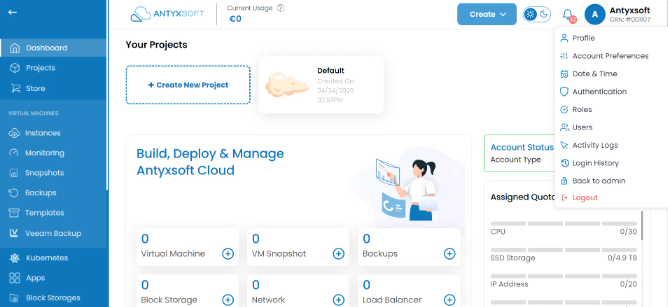
- Then click on Date & Time option.
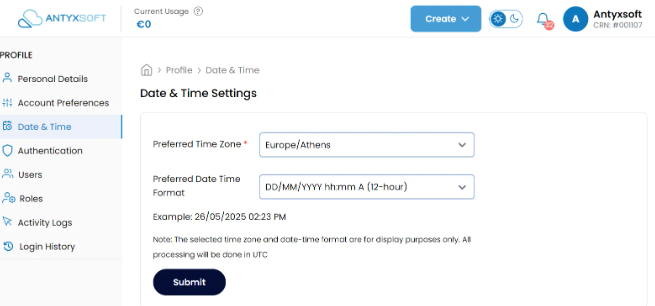
- You can now select your Time Zone and the preffered Date Format.
- Click on Submit to cofirm.