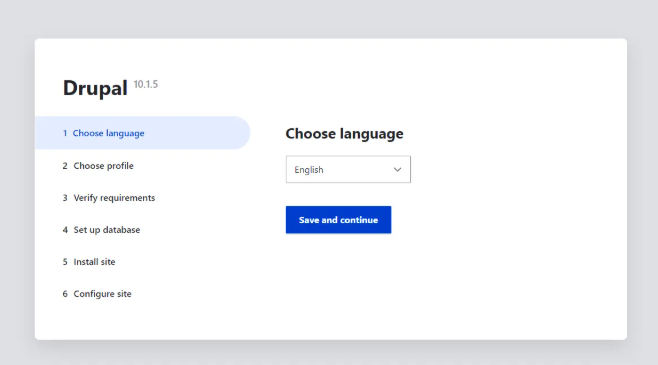
What is Drupal
Drupal is a powerful open-source content management system (CMS) used for building websites and web applications. Known for its flexibility, scalability, and robust security, Drupal is popular among developers, large organizations, and institutions for creating complex websites, from blogs to enterprise-level platforms.
Key features of Drupal include:
- Modular Architecture: Drupal is highly customizable with thousands of free modules (extensions) and themes that allow users to add functionality like forums, user management, media galleries, SEO tools, and more.
- Content Management: It offers flexible content creation, organization, and publishing workflows with features like content types, blocks, and views for displaying content in various formats.
- Security: Drupal is known for its strong security features, including regular updates and a dedicated security team, making it suitable for high-security environments such as government websites.
- Multilingual Support: Built-in support for multiple languages allows users to create and manage multilingual websites easily.
- User Permissions and Roles: Advanced user management with customizable roles and permissions for managing who can access or modify different parts of the site.
- Scalability: Capable of handling large, high-traffic websites with caching tools and performance optimization features.
- Community: A large, active community of developers and contributors that continuously enhance Drupal with new modules, themes, and support resources.
Drupal is used by universities, governments, non-profits, and enterprises that require highly customizable and scalable web platforms. While it has a steeper learning curve compared to some other CMS platforms like WordPress, its flexibility and power make it ideal for complex projects.
Getting started with Drupal Deployment
Log in to portal.antyxsoft.io and during the instance creation at the Select Template section click on the Market Place App tab.
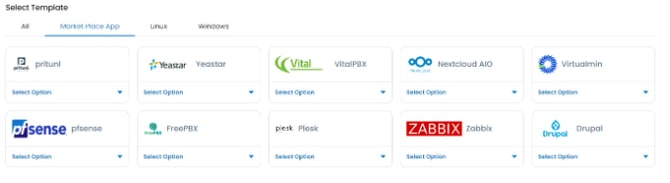
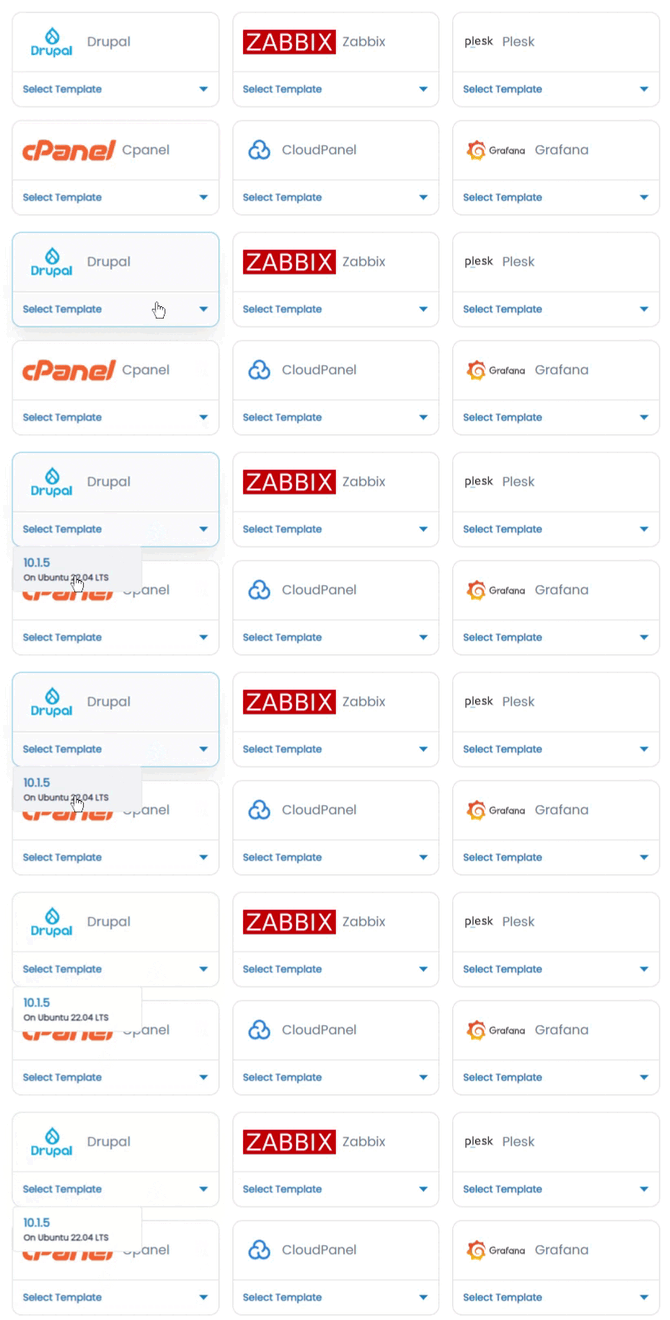
Select the ready-to-go Drupal template from the list of available templates and deploy it.
Accessing the Drupal Admin Dashboard
To access the Drupal admin dashboard, first you will need to copy the Public IP of the VM, located in the Overview section at the Instance menu.
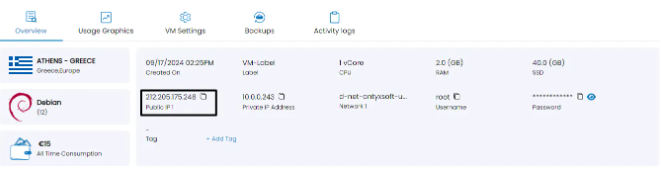
Paste it at your browsers search section followed by the port 80. e.g http://[public-ip-address]:80