Upon Load Balancer creation, to configure new policies navigate to the Load Balancer menu and click option + Add New Policies
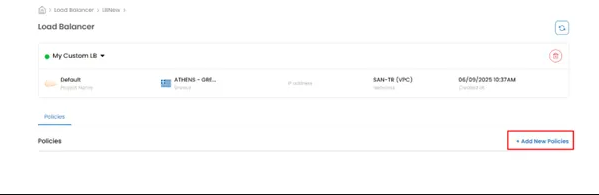
In the Policies menu fill the options regarding the balancing you need to create.
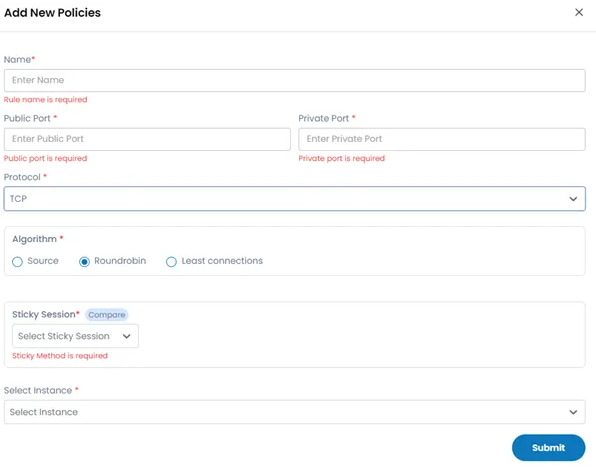
Name: A name for the load balancer rule. Public Port: The port that receives the incoming traffic to be balanced. Private Port: The port that the VMs will use to receive the traffic. Protocol: TCP/UDP/TCP Proxy
Algorithm: Choose the load balancing algorithm you want to use. - Round-robin: Requests are distributed sequentially to each server in a circular manner. - Least Connections: New requests are directed to the server with the fewest active connections. - Source: Requests from the same client are consistently routed to the same server
Sticky Session: Useful for applications that store data in memory (also known as session persistence). The available session options are. - LBCookie: Load balancer generates and manages its own cookie to maintain session stickiness across requests. - AppCookie: Stickiness is based on a specific application-defined cookie (user provides the cookie name). - SourceBased: Stickiness is based on the client’s source IP address, same IP gets routed to the same backend. - None: No session stickiness, each request is independently balanced.
Select Instance: Choose the VM from your infrastructure to apply load balancing policy & hit Submit to deploy your instance.