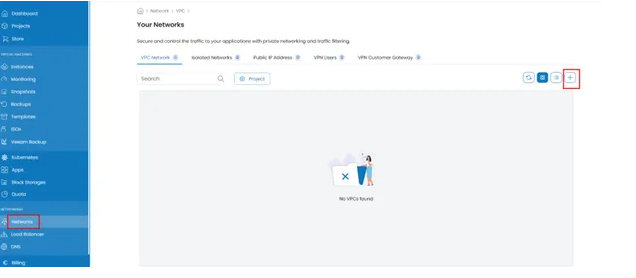
In order to create a cloud firewall simply navigate to Antyxsoft Cloud Portal and select Networks from the left menu. Next click on the + button to create your Virtual Private Cloud (VPC) firewall.
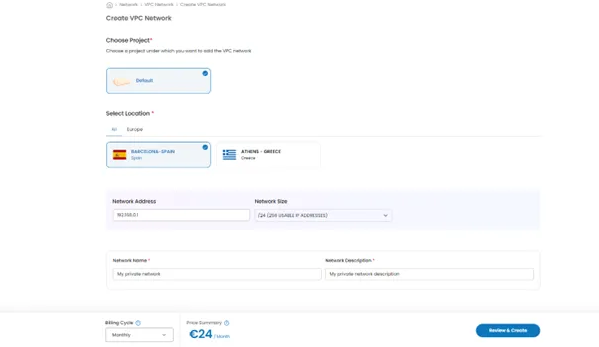
Select the Project and the Location where your firewall will be located. Select the Network Address (IP) the firewall will use and your network name. Select Billing Cycle, review your settings and hit Review & Create to deploy your instance.