Invoices are generated for your usage of cloud services and reflect the charges for your active resources, including any additional services. In our cloud portal, you can easily view, download, and manage your invoices, ensuring you have complete visibility of your billing history.
View and Download Invoices
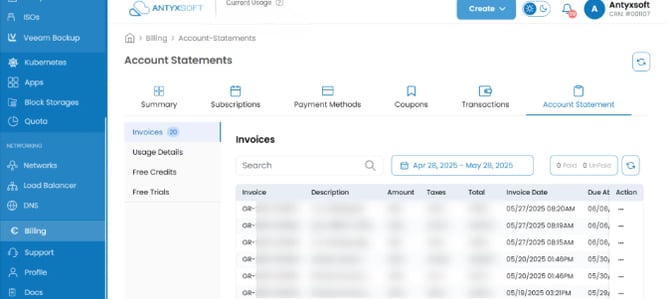
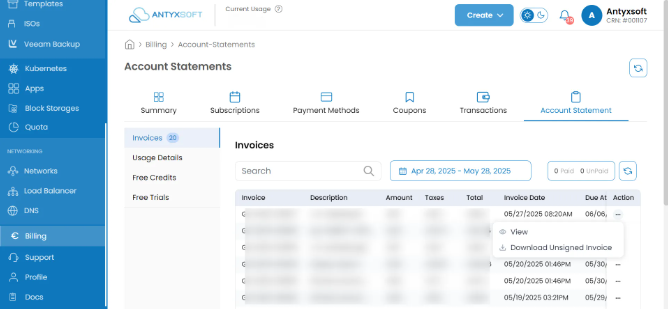
Each line contains information about each invoice.
- The description of the service that has been invoiced.
- The subscription period (monthly, annually).
- The net amount of the invoices.
- The tax amount (if you are tax eligible).
- The total amount of the invoice.
- The due date.
- The paid date.
- The status of the invoice (paid or unpaid).
To pay an unpaid invoice:
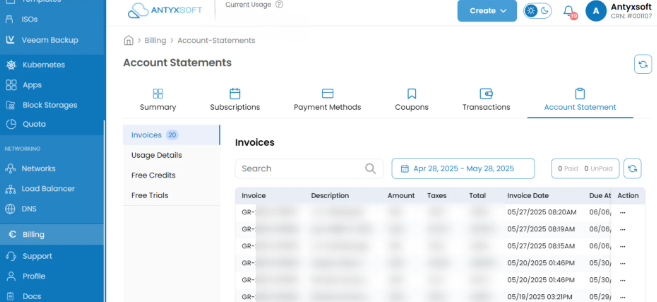
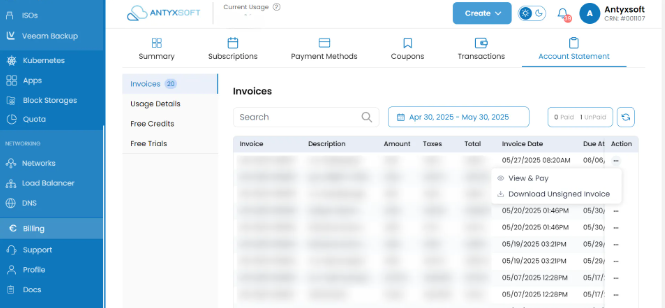
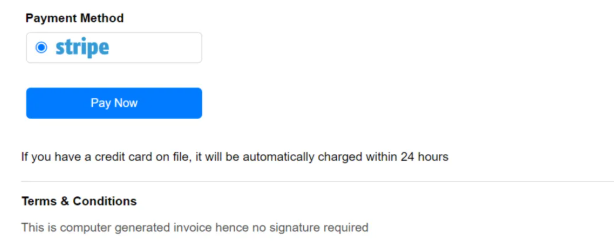
Once payment is processed, the status of the invoice will be updated to Paid.
Terms and Conditions
Billing Responsibility
You are responsible for reviewing and keeping track of your invoices. Ensure that payments are made promptly to avoid service interruptions or additional fees.
Once an invoice has been successfully paid, the payment is considered final and non-refundable. This includes charges for services that were used, as well as any prepaid services.
We encourage our customers to review their usage and billing details regularly to avoid unexpected charges.
If you believe there has been an error in your invoice, please contact our support team within 7 days of the invoice date so we can investigate the issue.
FAQs
How do I change the email address for invoice notifications?
After logging into your Antyxsoft Account, click on the profile icon in the upper-right corner of the dashboard. From the left-hand menu, under Profile, click on Company Details.
On the Company Details page, you will see the current company and billing information displayed. Τo update this information, click on the pencil icon (🖉) located to the right side of the page.
Once you click the pencil icon, the company fields will become editable.
You can update the following information: organization name, billing address, website, phone number, state/country/city, VAT number, billing contact name, billing email address.
After making the necessary changes, you will have two options:
Save: Click the Save button to confirm and apply the changes you made.
Cancel: If you decide not to save the changes, click Cancel to discard any updates and return to the previous state.
What do I do if I think there’s an error on my invoice?
If you believe there is an error on your invoice, please contact customer support with the details of your concern. We’ll review the issue and work with you to resolve it.
What happens if I don’t pay my invoice on time?
If an invoice remains unpaid past the due date, your account will be freezed after 40 days, suspended after 60 days and terminated after 90 days. It’s important to pay your invoice on time to avoid service interruptions.
Can I view invoices for previous billing periods?
Yes, you can view and download invoices for all past billing periods. Simply go to the Invoices section in the portal, and you’ll see a complete history of all invoices, even those from previous months or years.