Antyxsoft Veeam is a web-based platform that simplifies managing and monitoring backup and disaster recovery services. It streamlines client management and service monitoring.
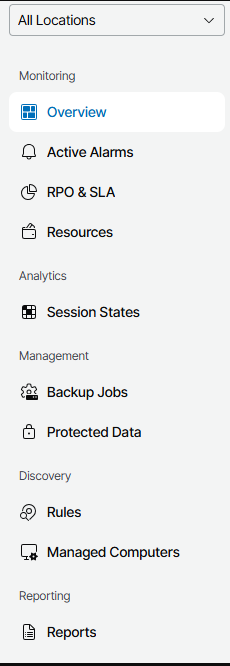
The left-hand menu provides key options for managing your company:
- Active Alarms: Lists current alerts and issues, such as failed backups or connectivity problems.
- Backup Jobs: View and manage scheduled backup tasks.
- Protected Data: Overview of data protected based on backup configurations.
- Rules: Manage discovery rules for systems requiring backup agents.
- Managed Computers: View the list of managed computers for your company.
- Reports: Create and view detailed reports for backups, failovers, and other activities.
Installing the Veeam Agent
Follow these steps to install and manage the Veeam Backup Agent:
- Navigate to the Managed Computers option in the menu.
- Select the Download Agent option.
- Specify the token expiry period during the download process.
- Install the Veeam Backup Agent for your selected operating system.
- After installation, navigate to the Discovered Computers section in the web interface.
- Select your computer and click Install Backup Agent.
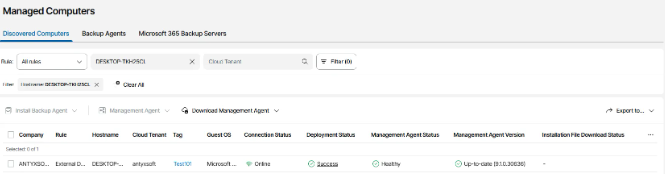
- Choose an existing backup policy or create a New Backup Policy.
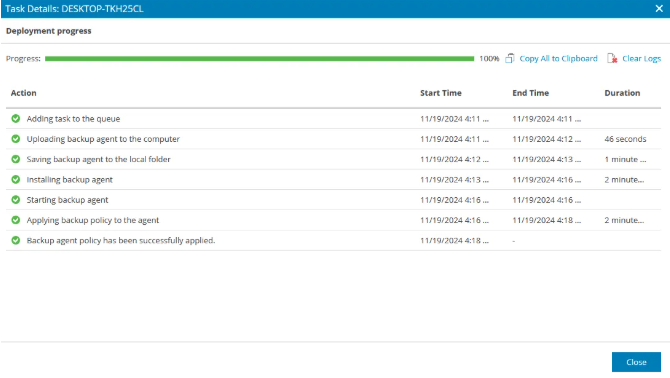
- Press the Apply button to finalize the configuration.
- Monitor the deployment progress through the web interface.
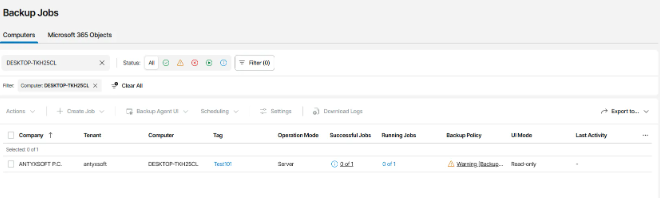
- Once the backup agent is installed, view the computer in the Backup Jobs tab.
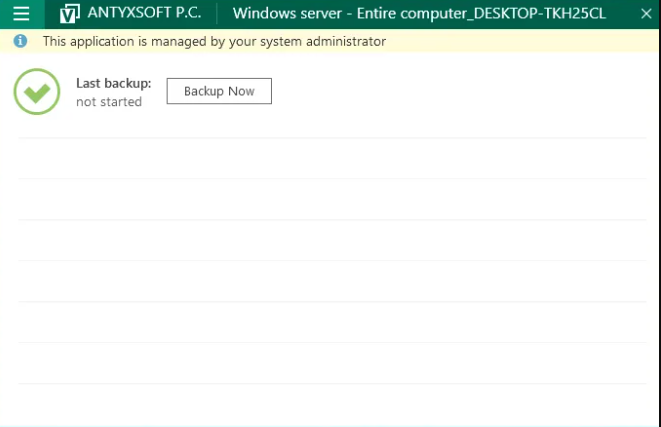
- Monitor your backups directly through the Veeam Agent for Microsoft Windows application.
This guide ensures that you can efficiently manage your Veeam account and safeguard your data with ease.