What is Odoo
Odoo is an open-source suite of enterprise resource planning (ERP) and business management applications. It provides a comprehensive set of integrated modules that cover various business functions, from accounting and inventory management to sales and human resources.
Key features of Odoo include:
- Modular Design: Offers a wide range of modules that can be installed and customized based on business needs, including modules for CRM, ERP, eCommerce, inventory, accounting, project management, and more.
- Integration: Seamlessly integrates different business functions within a single platform, ensuring data consistency and streamlined workflows across departments.
- Customization: Provides extensive customization options, including the ability to create custom modules and reports, adapt workflows, and configure user interfaces to meet specific business requirements.
- User-Friendly Interface: Features an intuitive and modern interface that simplifies navigation and enhances user experience.
- Scalability: Suitable for businesses of all sizes, from small startups to large enterprises, with the ability to scale and adapt as business needs evolve.
- Reporting and Analytics: Includes advanced reporting and analytics tools for generating insights, tracking performance, and making data-driven decisions.
- Cloud and On-Premises: Available both as a cloud-based service and for on-premises deployment, providing flexibility based on organizational preferences and requirements.
- Community and Enterprise Editions: Offers a free Community Edition with basic features and a paid Enterprise Edition with additional features, support, and services.
Odoo is widely used for managing and automating various business processes, helping organizations improve efficiency, reduce costs, and enhance overall operational effectiveness.
Getting started with Odoo Deployment
Log in to portal.antyxsoft.io and during the instance creation at the Select Template section click on the Market Place App tab.
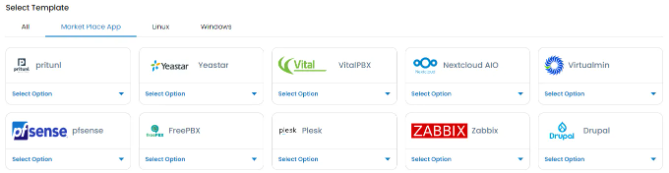
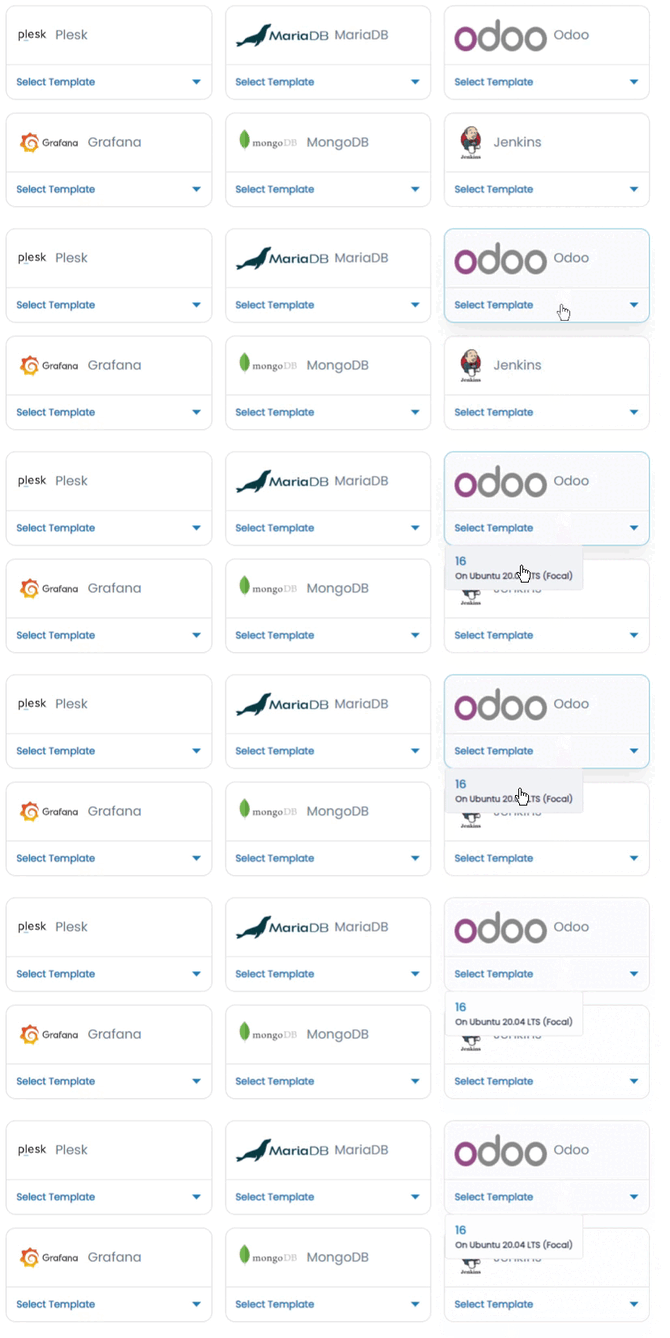
Select the ready-to-go Odoo template from the list of available templates and deploy it.
Accessing the Odoo Dashboard
To access the Odoo dashboard, first you will need to copy the Public IP of the VM, located in the Overview section at the Instance menu.
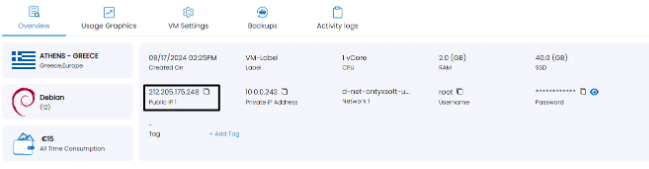
Paste it at your browsers search section followed by port 8069. e.g http://[public-ip-address]:8069
