If you encounter connectivity issues with your cloud firewall, follow these steps to identify and resolve the problem:
- Check Firewall rules and policies applied. Ensure firewall rules allow the required traffic (ports, protocols, source/destination IPs). Check for misconfigured NAT settings that may interfere with traffic flow. For an overview of firewall rules please refer here
- Test connectivity with tools like ping, traceroute, telnet to verify if target is unreachable or an intermediate hop issue.
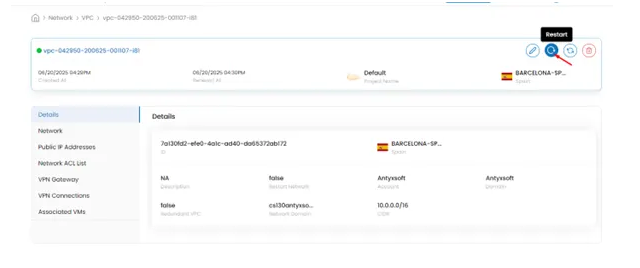
- Restart cloud firewall. Navigate to the cloud firewall menu as described here. Click the restart button on top right of screen and a reboot will be initiated.
If you still have issues don’t hesitate to contact Antyxsoft support team to assist with troubleshooting.