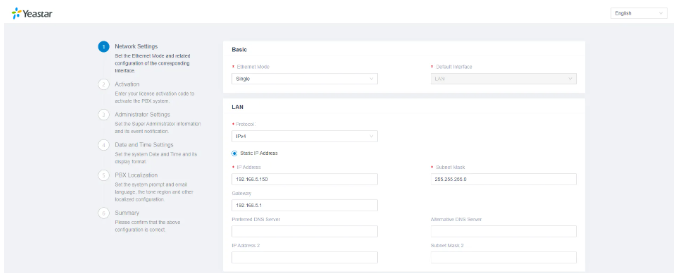
What is Yeastar
Yeastar is a global provider of VoIP (Voice over IP) communication solutions and unified communications systems. They offer a range of products designed to help businesses manage and optimize their telephony and communication needs.
Key products and features of Yeastar include:
- PBX Systems: Yeastar offers a variety of IP-PBX solutions, including the S-Series and K2 Series, which provide features such as call routing, voicemail, call recording, and advanced call management for businesses of different sizes.
- VoIP Gateways: Yeastar’s VoIP gateways, such as the TG Series, facilitate connectivity between traditional telephony systems (analog or digital) and VoIP networks, enabling seamless integration and migration.
- SIP Trunks: Provides support for SIP trunking, which allows businesses to use VoIP technology for their telephone lines, reducing costs and enhancing flexibility.
- Unified Communications: Yeastar's solutions include features for unified communications, integrating voice, video, and messaging services into a single platform.
- Cloud Solutions: Yeastar offers cloud-based communication solutions that provide scalability and flexibility, including cloud PBX services and hosted VoIP solutions.
- Endpoint Devices: Provides a range of IP phones and communication devices designed to work seamlessly with their PBX systems and VoIP solutions.
- Management Tools: Includes web-based management interfaces and tools for configuring and monitoring communication systems, simplifying administration and support.
Yeastar’s products are used by small to medium-sized businesses, enterprises, and service providers to enhance their communication infrastructure, improve customer service, and streamline operations.
Getting started with Yeastar Deployment
Log in to portal.antyxsoft.io and during the instance creation at the Select Template section click on the Market Place App tab.
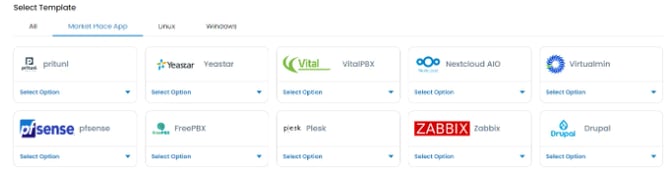
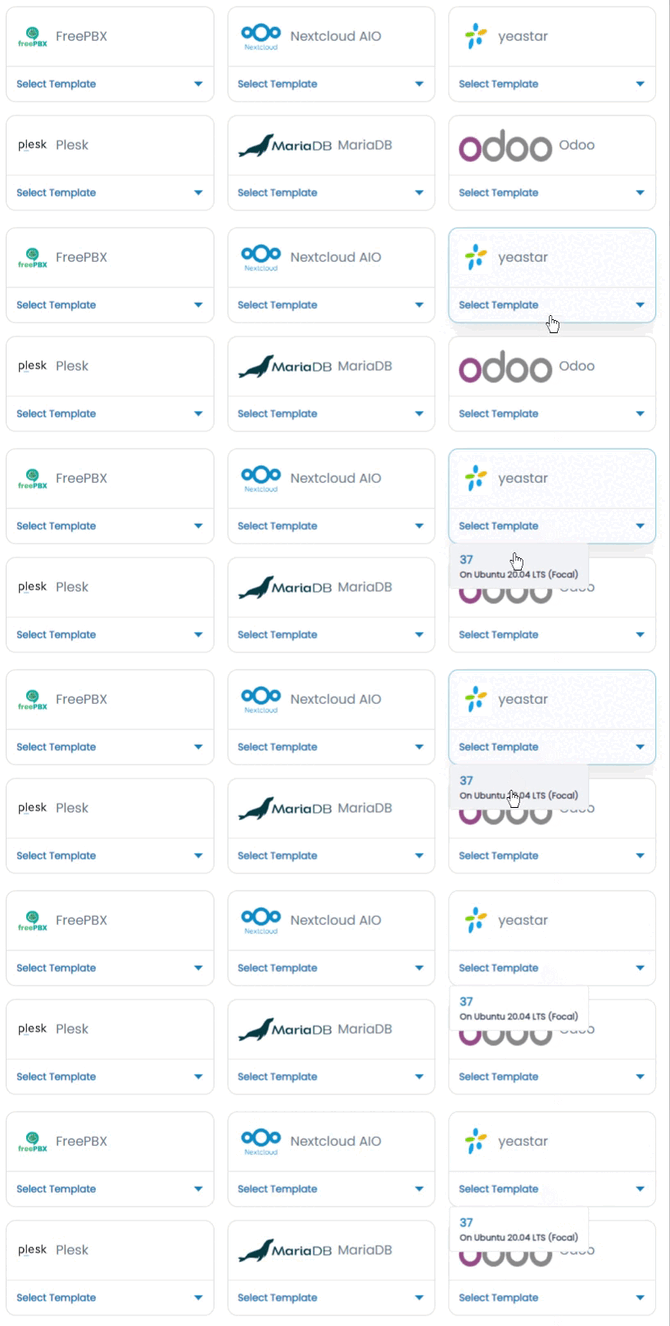
Select the ready-to-go Yeastar template from the list of available templates and deploy it.
Accessing the Yeastar Dashboard
To access the Yeastar dashboard, first you will need to copy the Public IP of the VM, located in the Overview section at the Instance menu.
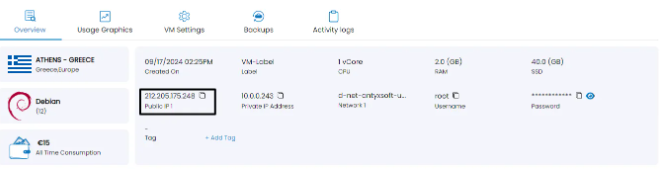
Paste it at your browsers search section followed by the port 8088. e.g http://[public-ip-address]:8088